
Build release-day momentum.
Pre-save pages give upcoming public releases a shareable link before they drop. Fans opt in once, and soundvia saves the release to their library when it becomes available.
What a pre-save page does
It turns a scheduled release into a link you can share before release day.
One shareable page
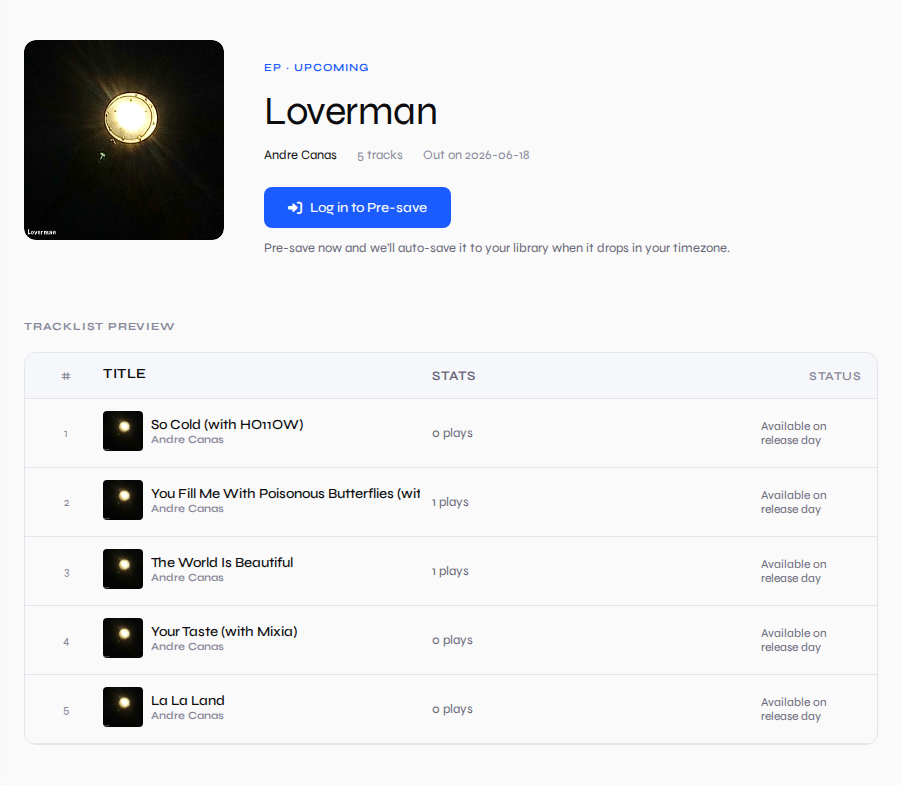
Send fans to a release page with cover art, date, artist info and tracklist preview.
Fan opt-in
Logged-in listeners tap Pre-save. They can remove it later if they change their mind.
Auto-save on drop
When the release date arrives, the release moves into the listener's library.
1. Create a release
Upload a single, EP or album and set a future release date.
2. Keep it public
Pre-save pages are for public upcoming releases, so fans can access the page.
3. Share the link
Use the Pre-save link from Artist Hub on posts, bios, DMs and announcements.
4. Drop cleanly
Fans who opted in get the release saved automatically when it goes live.
Upcoming singles
Give fans one action to take before the song is live.
EPs and albums
Show the release date and tracklist preview while keeping playback locked until launch.
Campaigns
Use it anywhere you announce a release: social posts, newsletters, bios or fan chats.
Pre-save pages are free
Schedule a public release, share the pre-save link, and let listeners save it before release day.