
AI help for lyric videos.
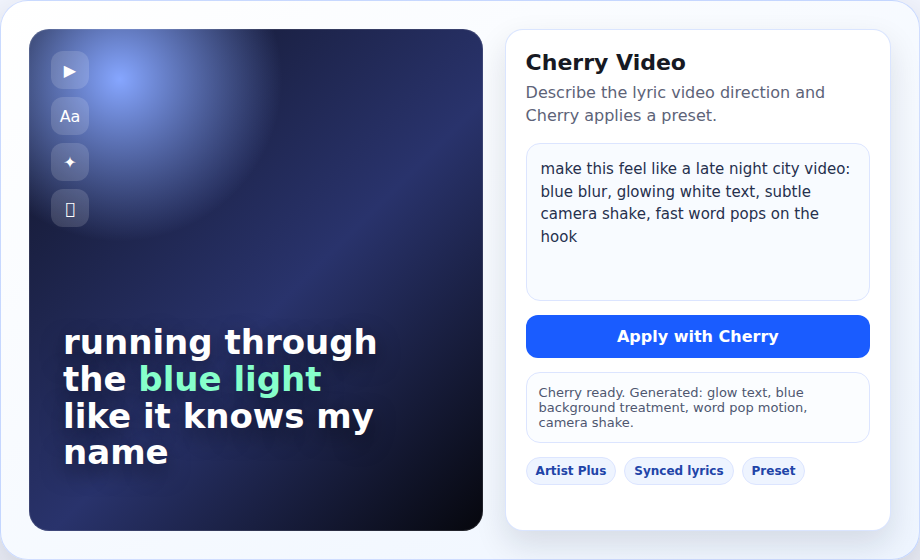
Cherry Video lets Artist Plus creators describe a visual direction in plain language, then applies it as a lyric video preset inside soundvia.
What it does
Instead of manually changing every lyric video control, ask Cherry for a mood, layout, motion style or batch of variants.
Prompt-based presets
Type requests like "rainbow text, blurred blue backgrounds, fast glitch motion" and Cherry maps that to video settings.
Works with synced lyrics
It builds on your existing line or word sync, so the visual timing stays tied to the track.
Variant generation
Bulk mode can create multiple directions for a song so you can pick the best version.
1. Pick a synced song
Add lyrics, sync at least the lines, then open Lyric Video Maker from the song tools.
Lyric Video Maker tutorial2. Open Cherry Video
Use the Cherry Video panel or bulk page. Cherry Video access is included with Artist Plus.
3. Describe the look
Ask for colors, motion, background style, text behavior, pacing or a reference mood.
4. Preview and export
Review the generated preset, tweak anything manually, then export a social-ready lyric video.
Independent artists
Make release visuals without opening a separate video editor.
Fast promo workflows
Create multiple lyric video ideas for teasers, snippets and release posts.
Artists with catalogs
Use bulk generation when you want consistent videos across several tracks.
Cherry Video is part of Artist Plus
Free artists can still use the standard lyric video maker for public tracks. Cherry Video adds AI preset generation and faster creative iteration.